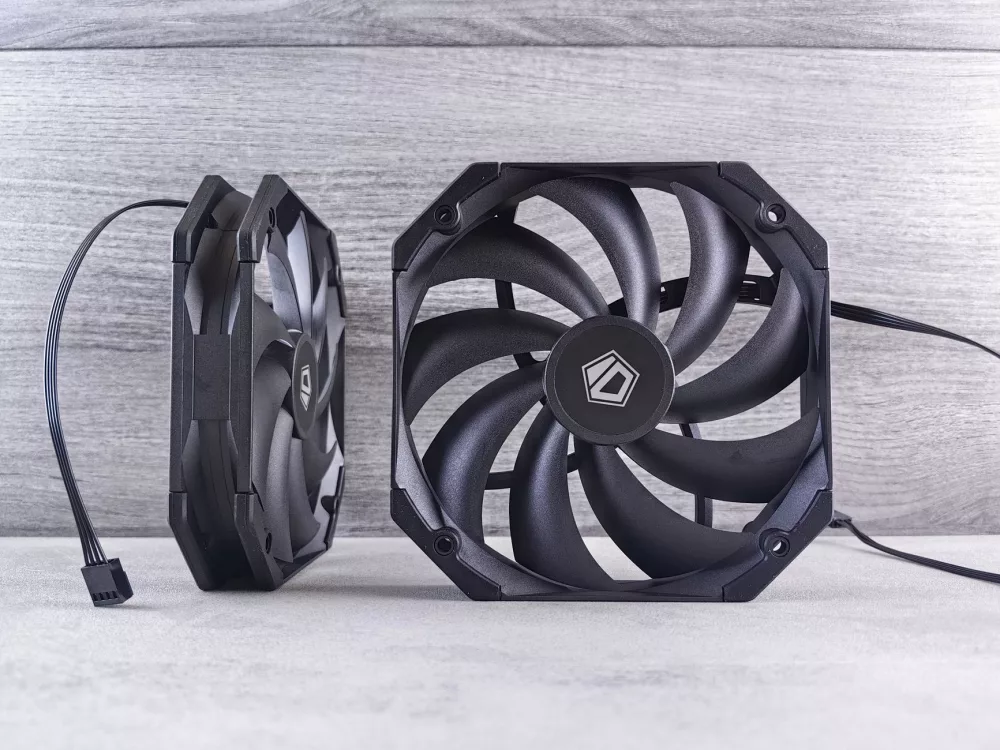
Why Your PC Needs the Right Airflow: A Personal Perspective
When you're building a new PC or upgrading an existing one, it's easy to get caught up in the excitement of choosing the CPU, GPU, and maybe even a snazzy RGB RAM kit. However, I've learned from countless builds that one of the most overlooked, yet absolutely critical, components is the humble PC case fan. Believe me, neglecting your cooling solution can lead to higher temperatures, reduced component lifespan, and a system that sounds like a jet engine taking off. That's why I want to talk about finding the best PC case fans; they truly are the unsung heroes of a stable and quiet computer.
You see, a well-cooled PC isn't just about preventing thermal throttling; it's about maintaining optimal performance over time. Heat is the enemy of electronics, plain and simple. My goal here is to guide you through the maze of options and help you make an informed decision, ensuring your rig stays cool, quiet, and performs at its best for years to come. It's a journey worth taking, trust me.
Understanding the Fundamentals: Airflow vs. Static Pressure
Before we even start naming names, we need to grasp a couple of core concepts that differentiate fan types: airflow and static pressure. This distinction is incredibly important when you're deciding where to place your fans.
- Airflow Fans: These are designed to move a large volume of air over an unobstructed path. They typically have more blades, and the blades themselves are often thinner and more angled. Think of them as broad-stroke painters, moving a lot of air generally. I usually recommend these for exhaust points or as intake fans directly pulling air into an open area of the case.
- Static Pressure Fans: In contrast, static pressure fans are built to push air through restrictive environments. They have fewer, thicker, and less angled blades, designed to create a concentrated column of air that can overcome resistance. Where would you use these, you ask? Definitely on CPU coolers, radiators (for liquid cooling), or any intake points where there's a drive cage or other obstruction immediately behind the fan. They're excellent at forcing air through tight fins.
It's not always an either/or situation; some fans strike a good balance, but understanding their primary strength helps immensely in placement.
Key Specifications I Always Look At
When I'm sifting through fan specifications, there are a few numbers and features that immediately catch my eye. These tell me a lot about a fan's potential performance and how it might fit into my build.
- CFM (Cubic Feet per Minute): This is your primary indicator of airflow. A higher CFM means the fan can move more air. For case ventilation, a good CFM is often desirable.
- RPM (Revolutions Per Minute): This tells you how fast the fan blades are spinning. Higher RPM generally means higher CFM and static pressure, but also higher noise. It's a balancing act!
- dBA (Decibels): Noise level is perhaps the most critical factor for many builders, myself included. A quiet PC is a happy PC. I always look for fans with low dBA ratings, especially at lower RPMs. Anything under 20-25 dBA at typical operating speeds is usually considered very quiet.
- Bearing Type: This affects both lifespan and noise.
- Sleeve Bearings: Cost-effective, but can be noisier over time and have shorter lifespans. I usually avoid these if possible.
- Rifle Bearings: An improvement over sleeve, offering better lubrication and longevity.
- Hydrodynamic (FDB/HDB): Very common, providing excellent lifespan and quiet operation by suspending the shaft in a thin layer of fluid. These are often my go-to.
- Magnetic Levitation (MagLev): The creme de la creme! These fans use magnets to levitate the impeller, virtually eliminating friction and offering incredibly long lifespans and whisper-quiet operation. They often come with a higher price tag, though.
- PWM vs. DC Control:
- PWM (Pulse Width Modulation): My preferred method. These are 4-pin fans that allow precise speed control by varying the power pulses, making them incredibly efficient and quiet when not under load. Most modern motherboards support PWM.
- DC (Direct Current): These are 3-pin fans whose speed is controlled by varying the voltage. While effective, they don't offer the same granular control as PWM and can sometimes be less efficient at very low speeds.
- RGB/ARGB Lighting: If aesthetics matter to you, then Addressable RGB (ARGB) is often the way to go, offering individual LED control for dazzling effects. Personally, I appreciate a bit of tasteful lighting, but I prioritize performance and quietness above all else.
My Picks for Top-Performing Case Fans
Based on my experience and countless hours spent researching and testing, certain brands and models consistently stand out. I'm not going to give you a rigid ranking, but rather highlight some excellent choices you can confidently consider.
Noctua: The Acoustic Benchmark
When you talk about PC cooling, Noctua inevitably comes up. Their fans, while sporting a distinctive brown and beige color scheme (which I've grown to appreciate, honestly!), are renowned for their incredible performance and near-silent operation. The Noctua NF-A12x25 PWM is, in my opinion, one of the best 120mm fans ever made. It’s an all-rounder, performing exceptionally well as a case fan, on CPU coolers, and even on radiators. Yes, they’re pricey, but the quality, engineering, and 6-year warranty make them a fantastic long-term investment. If you can live with the aesthetics, or opt for their chromax.black versions, you're getting top-tier cooling.
Arctic: Incredible Value
If you're building on a budget but refuse to compromise on performance, Arctic's P-series (e.g., P12 PWM PST) fans are an absolute revelation. I've used these in so many builds, and for their price point, they punch way above their weight. They offer excellent static pressure, making them great for radiators and CPU coolers, but they also perform well as general case fans. They’re surprisingly quiet, especially considering the cost. You can often buy them in multi-packs, which brings the per-fan cost down even further. Seriously, if you're looking for bang for your buck, look no further.
Corsair: Performance with a Premium Aesthetic
For those who desire both stellar performance and stunning aesthetics, Corsair's ML (Magnetic Levitation) series, like the ML120/140 PRO, are fantastic. Their magnetic levitation bearings mean they're incredibly durable and exceptionally quiet across a wide RPM range. If you want RGB, their LL series fans (e.g., LL120) combine that MagLev tech with vibrant, addressable lighting, though you'll need Corsair's iCUE ecosystem to manage the lighting effectively. They're a premium option, no doubt, but the build quality and visual appeal are undeniable.
be quiet!: True to Their Name
As the name suggests, be quiet! specializes in silence. Their Silent Wings 4 (and Pro) fans are engineered for extremely low noise levels, even at higher RPMs. They feature a unique fluid-dynamic bearing and a special fan frame design that minimizes turbulence. If your absolute top priority is a whisper-quiet PC, these are a superb choice. They deliver solid performance, but their real strength is their acoustic profile. I find them particularly good for cases where you want minimal distraction.
Fan Placement: More Than Just Sticking Them Anywhere
Just buying great fans isn't enough; how you arrange them in your case is equally important for creating an effective airflow path. I always aim for a positive pressure setup.
- Positive Pressure: More air enters the case than exits. This forces air out through small gaps, preventing dust from being sucked in through unfiltered openings. You achieve this by having more intake fans or intake fans running at a higher RPM than exhaust fans. This is my preferred configuration for dust management.
- Negative Pressure: More air exits than enters. This creates a vacuum, drawing air in through every available gap. While it can be good for quickly expelling hot air, it also means dust ingress through unfiltered areas, which you probably don't want.
- Balanced Pressure: An equal amount of air enters and exits. It's theoretically ideal but often hard to achieve perfectly in practice.
Typically, I'll place intake fans at the front and bottom of the case, pulling in cool air. Exhaust fans usually go at the rear and top, expelling hot air. Think of it as a natural convection current: hot air rises, so you want to help it escape at the top.
A Few Quick Installation Tips
- Mind the Orientation: Fans usually have an arrow on the side indicating airflow direction. Don't overlook this!
- Cable Management: Route your fan cables neatly. It's not just for aesthetics; clean cable management improves airflow within the case.
- Test Before Closing: Before screwing everything back together, do a quick power-on test to make sure all your fans are spinning. It saves a lot of hassle.
- Fan Hubs: If your motherboard doesn't have enough fan headers, consider a fan hub. Many cases come with them, or you can buy one separately. It simplifies cable management and fan control.
Ultimately, choosing the best PC case fans comes down to balancing performance, noise, aesthetics, and your budget. My hope is that this guide empowers you to make a choice that will keep your system running cool and quiet for many years to come. Remember, a little research into cooling goes a long way for your PC's health!